
How to Copy and Paste Puppy Kaomojis and Text Emojis Easily
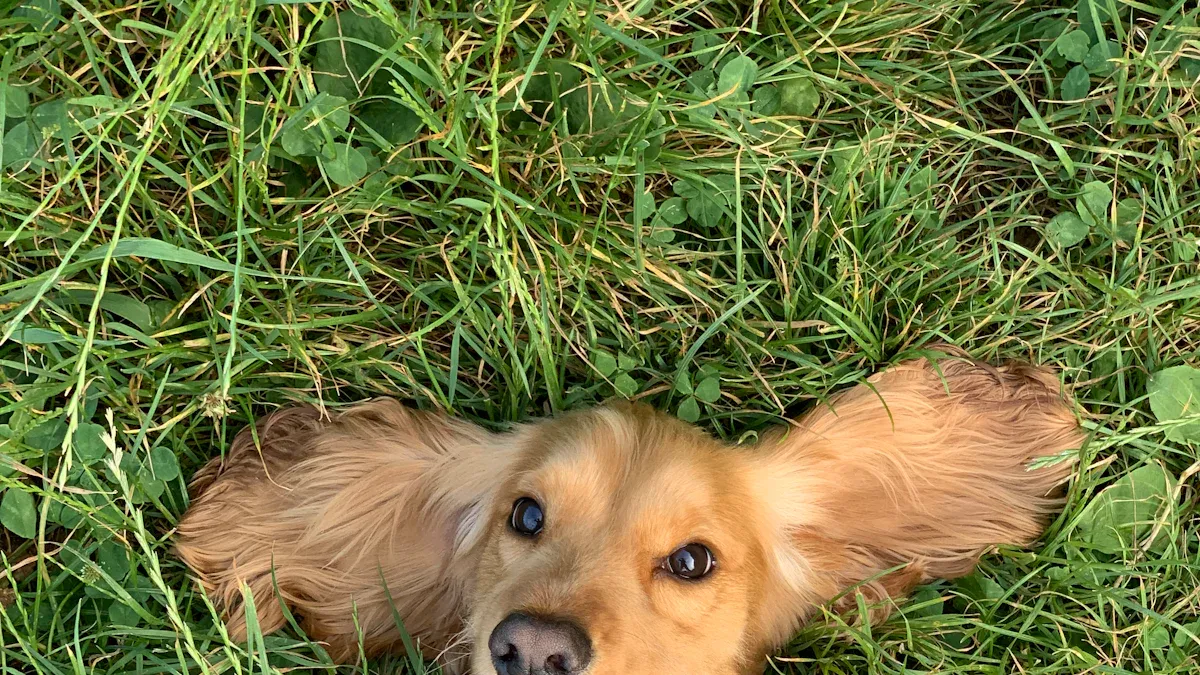
Want to add some cuteness to your chats? Just highlight your favorite Puppy emoji or kaomoji, tap “Copy,” then “Paste” it where you want. You can use these in your messages, social media bios, or even comments. Try it out and share your love for puppies with friends!
Key Takeaways
Copying and pasting puppy emojis is easy. First, highlight the emoji. Next, tap 'Copy.' Then, tap 'Paste' where you want it.
You can find many puppy emojis on websites like Emojicombos. Visit these sites to see lots of cute choices.
Use puppy emojis in your messages and social media. They show happiness and personality. Puppy emojis make your chats and profiles more fun.
How to Copy and Paste Puppy Emoji and Kaomoji

Where to Find Puppy Emoji and Kaomoji Online
There are many websites where you can find Puppy emoji and kaomoji. These websites let you look at lots of cute dog faces and expressions. You can copy them easily. Here is a table with some good places to check out:
Description |
Link |
|---|---|
General Kaomojis |
|
Cute Dog Emoticons |
|
Adorable Puppy |
|
You can go to these sites and look through their lists. When you find a Puppy emoji or kaomoji you like, just tap or click it to copy. You can use these in your messages, bios, or anywhere you want to show you love puppies.
Copy and Paste Steps for Windows, Mac, iPhone, Android
Copying and pasting Puppy emoji and kaomoji is easy. You can do this on any device. Here are the steps:
Windows:
Go to a website and find a Puppy emoji or kaomoji.
Click the emoji or kaomoji to copy it.
Open your message, bio, or post.
Right-click and pick “Paste” or press Ctrl + V.
If you want, you can set up shortcuts with PowerToys or AutoHotkey.
Mac:
Highlight the Puppy emoji or kaomoji you want.
Press Command + C to copy it.
Go to your message or social media.
Press Command + V to paste.
iPhone:
Tap and hold the Puppy emoji or kaomoji.
Pick “Copy.”
Open your app or message.
Tap and hold in the text box, then tap “Paste.”
Android:
Tap and hold the Puppy emoji or kaomoji.
Choose “Copy.”
Open your messaging app or social media.
Tap and hold in the text field, then pick “Paste.”
Tip: You can mix Puppy emoji with fun things like bones or hearts. This helps you make cool usernames or bios. Try using different kaomojis for a special look.
Tips for Using Puppy Emoji in Messages and Profiles
Puppy emoji can help your messages and profiles look fun. You can use them to show who you are, talk about your pet, or just add some joy. Here are some ways people use Puppy emoji:
Example |
Description |
|---|---|
🐶 The Bark Park 🦴 |
A fun bio that lets others share their doggy side. |
🦮 Professional Dog Care 🐾 |
A caring and friendly way to talk about dog care. |
⚡ Mom of a wild bitch ⚡ |
A funny and bold way to say you are a dog mom. |
🐾 Dog Mom to Bella 🐶 |
A personal message about life with your dog. |
🎂 Happy Birthday to my favorite puppy 🐾 |
A happy birthday wish for your dog with hashtags. |
You can put Puppy emoji in your Instagram bio, Twitter posts, or even your TikTok username. Try adding them to birthday wishes or pet news. You can also use kaomojis to show how you feel or make your texts more fun.
If you want to do something special for your pet, you can look at Pawimprint’s Custom Wool Felt Pet Portraits. These portraits show your pet’s personality and cuteness. They are a great gift for pet lovers and make your home feel more personal.
Puppy Emoji & Kaomoji Lists
Popular Puppy Emoji to Copy
You want to brighten up your messages? Try these Puppy emoji! Just copy your favorite and paste it anywhere you like. Here’s a handy table with some of the most popular choices:
Emoji |
Name |
|---|---|
🐶 |
Dog Face |
🦮 |
Guide Dog |
🐕 |
Dog |
🐾 |
Paw Prints |
🦴 |
Bone |
🐕🦺 |
Service Dog |
You can use these Puppy emoji in your texts, bios, or posts. They add a playful touch and show your love for dogs.
Cute Puppy Kaomoji for Messages
Kaomojis are text faces that look like puppies. You can use them to express feelings or just make your messages cuter. Here are some ready-to-copy kaomojis:
U・ᴥ・U
(U ᵕ U)
(´(oo)`)
(❍ᴥ❍ʋ)
(ᵔᴥᵔ)
(U^ᴥ^U)
Want to make your friends smile? Drop one of these in your next chat!
Categorized Puppy Text Emojis
You can use puppy text emojis to show different emotions. Here’s how people use them:
Express cuteness: (ᵔᴥᵔ), U・ᴥ・U
Convey sadness: (U╥﹏╥U), (U´•ᴥ•`U)
Evoke 'aww' energy: (UᵕU), (U^ᴥ^U)
Show sympathy or affection: (U•ᴥ•U), (U´ᴥ`U)
Tip: Mix these with hearts or paw prints to make your messages even sweeter.
If you want to celebrate your pet in a unique way, check out Pawimprint’s Custom Wool Felt Pet Portraits. These portraits capture your pet’s personality and make a special keepsake for any dog lover.
Troubleshooting and Compatibility
Common Issues with Puppy Emoji and Kaomoji
Sometimes, you might run into problems when you try to use puppy emoji or kaomoji. Maybe the emoji looks strange, or the kaomoji turns into random symbols. Don’t worry! Here are some common issues and what you can do:
Weird Symbols: If you see boxes or question marks, your device or app might not support that emoji or kaomoji. Try a different one from the list.
Font Problems: Some fonts don’t show kaomojis the right way. Switch to a basic font like Arial or Times New Roman.
Copy-Paste Glitches: Sometimes, extra spaces or line breaks sneak in. Double-check your message before you send it.
App Updates: Old versions of apps might not show new emoji. Update your app if you can.
Tip: If you want your puppy emoji to look perfect, test it in a message to yourself first.
Where to Paste and Platform Tips
You can use puppy emoji and kaomoji almost everywhere. Most popular platforms support them without any trouble. Here’s a quick look at where you can paste them:
Platform |
|
|---|---|
Discord |
Yes |
Yes |
|
Twitch chat |
Yes |
Yes |
|
Yes |
|
SMS |
Yes |
Yes |
You can paste puppy emoji in your Instagram bio, send them in a text, or even use them in an email. If you want to stand out, try adding a kaomoji to your Twitch chat or Discord nickname. Just remember, some older devices might not show every emoji. If you see a blank box, pick a different one from the list above.
Note: Mixing puppy emoji with hearts or paw prints can make your messages even cuter!
You can add puppy emoji and kaomoji to your messages in just a few clicks. Try them out and share with your friends. Want something extra special for your furry pal?
Pawimprint’s Custom Wool Felt Pet Portraits let you celebrate your pet in a unique way!
FAQ
How do you copy a puppy emoji on your phone?
Just tap and hold the emoji. Pick “Copy.” Open your app. Tap and hold in the text box. Tap “Paste.” You’re done!
Can you use puppy kaomojis in Instagram bios?
Yes! You can paste puppy kaomojis right into your Instagram bio. They show up just like regular text and make your profile stand out.
Why does my puppy emoji look like a box?
Your device or app might not support that emoji. Try updating your app or pick a different emoji from the list above.